REST API
For documentation on individual API endpoints, refer to our API documentation.
Obtaining an API Key
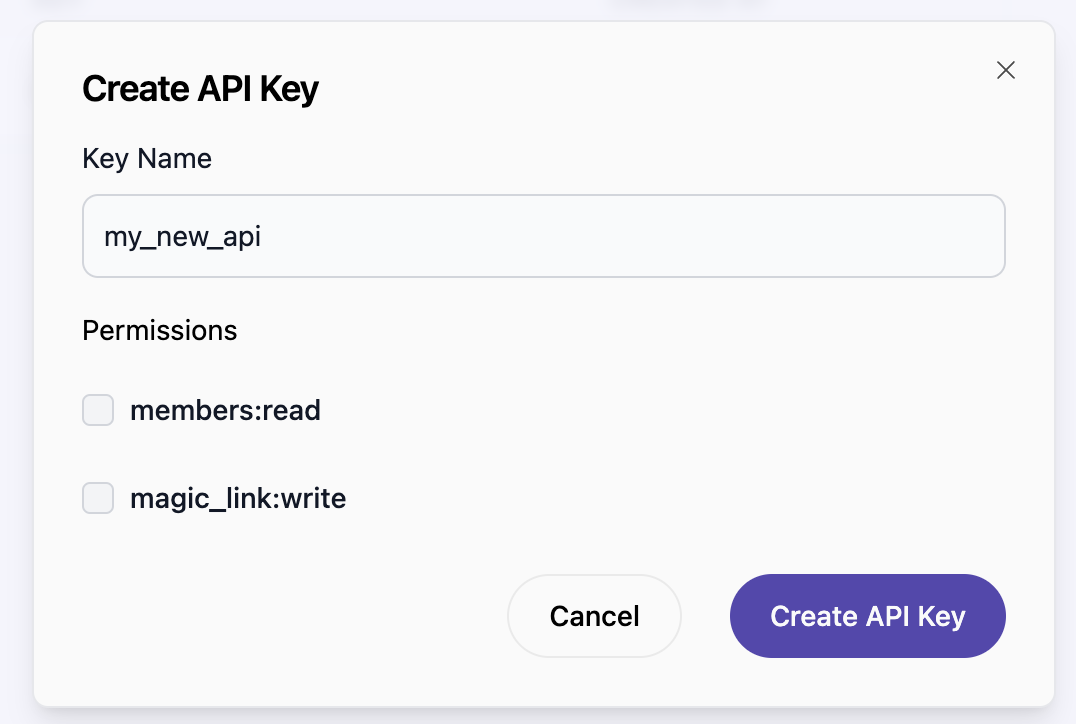
To use the BrandFeed API, an API key is required for authentication. You can generate this key through the BrandFeed dashboard. Go to the brand dashboard and navigate to Developers > API Keys.
- Key Name: Assign a name to your API key.
- Permissions: Choose the permissions necessary for your API key based on the requirements of specific endpoints as detailed in the Authorizations section of the API documentation.
Note: It's possible to generate multiple API keys and revoke them as needed. Ensure the security of your API key and do not share it.
Authorization
To authenticate API requests, include your API key in the Authorization header as follows:
Authorization: Bearer YOUR_API_KEY
Rate Limits
The BrandFeed API enforces rate limits to maintain server performance:
- Requests per minute: 60
Exceeding these limits results in a 429 Too Many Requests status code. Contact BrandFeed support for rate limit adjustments.